

Summary
What Is an AI Agent and How Can It Be Used in Business?
What Is an AI Agent and How Can It Be Used in Business?
- Author: Georgi Papucharov
- Created at:
- Last updated:
- Time to read: 15 min.
What Is an AI Agent and How Can It Be Used in Business?
An AI agent is a software system that receives a goal, analyzes the context, selects appropriate tools, and executes a sequence of actions on behalf of the user. Unlike an ordinary chatbot, an AI agent can not only answer but also check data in the CRM, read a document, prepare a quote, create a task, or update a permitted field — within predefined permissions and rules.
For a business, the most important thing is not to see the AI agent as a “virtual employee who can do anything.” A useful agent has a specific responsibility, limited access, clear success criteria, and a way to hand the task over to a person when it is unsure or when the action carries high risk.
What exactly is an AI agent?
An AI agent is an application in which a language model manages the execution of a task and uses software tools to obtain information or perform permitted actions. The agent can choose the next step based on the current result, instead of every possible sequence being programmed in advance.
OpenAI’s practical guide to AI agents defines agents as systems that independently accomplish tasks on behalf of the user. According to the guide, two important characteristics are that the model manages the workflow and that it has tools for gathering context and taking action.
Anthropic draws a useful distinction between:
- AI workflow — the models and tools follow a path predetermined by the developer;
- AI agent — the model dynamically decides how to proceed and which permitted tools to use.
In practice, the two can be combined. For example, AI may recognize the type of customer request, while the actual refund goes through a strictly programmed process with a limit and human approval.
How does an AI agent work?
An AI agent works in a loop: it receives a goal, gathers context, chooses the next action, uses a tool, evaluates the result, and continues until completion, refusal, or handover to a human. This loop is the essential difference between a one-off AI answer and the execution of a multi-step task.
A typical process looks like this:
- A user or another system assigns a task.
- The agent determines what information it needs.
- The agent selects an appropriate permitted tool.
- The integration layer checks permissions and validates the parameters.
- The tool retrieves data or performs an action.
- The agent analyzes the result and decides whether the task is complete.
- In case of missing data, low confidence, or high risk, the agent asks for clarification or approval.
- The result and the actions taken are logged for traceability.
The agent should not receive unrestricted access to all systems. If its task is to prepare overdue invoices for review, it may be allowed to read invoices and payments, but not to independently modify bank operations or accounting records.
What is an AI agent made of?
The foundation of an AI agent includes a model, instructions, and tools, while a reliable business solution adds context, permissions, controls, monitoring, and a mechanism for human intervention. A strong model on its own does not turn a demo into a production-ready system.
1. AI model
The model understands natural language, analyzes information, plans next steps, and selects tools. Different tasks may use different models depending on the required accuracy, speed, cost, and data-handling rules.
There is no universal reason for every step to use the largest and most expensive model. Classifying a document can be done with a faster model, while analyzing a contractual exception can use a more capable model with mandatory human review.
2. Instructions and business rules
The instructions define the agent’s role, what it can do, which sources are trustworthy, when it should stop, and when it should involve a person.
A good instruction is not just “help the sales team.” It describes, for example:
- how a new inquiry is qualified;
- which data fields are mandatory;
- when a customer is considered existing;
- which salesperson is responsible for a given region;
- which actions can be executed automatically;
- when the agent is not allowed to assume missing information.
3. Tools
Tools are controlled functions through which the agent interacts with systems. They can be divided into:
- data tools — finding a customer, checking an invoice, searching documents;
- action tools — creating a task, sending an approved email, updating a status;
- orchestration tools — delegating to a specialized sub-agent or workflow.
It is safer for the agent to receive clearly scoped tools such as find_customer, get_unpaid_invoices, and create_follow_up_task than one generic tool for arbitrary SQL queries or unrestricted access to an admin API. Scoped functions allow better validation, permissions, testing, and auditing.
4. Context, knowledge, and memory
Context includes the information needed for the current task: customer data, product rules, internal procedures, communication history, or documents.
“Memory” can mean retaining relevant information between individual steps or conversations. It does not necessarily mean that the underlying AI model is automatically trained on company data. What is stored, for how long, and who has access must be explicitly designed.
5. Controls, monitoring, and human intervention
A real system must validate input and output, limit the number of steps, log actions, handle technical errors, and allow a safe stop.
Human intervention is needed at least when:
- the action is financial, legal, or hard to reverse;
- confidence is low;
- the data is contradictory;
- the case falls outside the permitted scope;
- the agent has exceeded the allowed number of attempts;
- the customer explicitly asks for an employee.
What does an AI agent look like in a real business process?
The value of an AI agent is seen not in the conversation but in the completed process. For example, an agent for inbound sales inquiries can connect the website, CRM, ERP, and email without replacing the responsibility of the sales team.
Example process:
- A prospect sends an inquiry through the website or by email.
- The agent extracts the company, contact person, requested service, deadline, and other available information.
- The agent checks in the CRM whether the company already exists and who is responsible for it.
- If needed, it checks the ERP for active contracts, orders, or unpaid liabilities through a permitted lookup.
- The agent assesses whether the data is sufficient and asks a clarifying question if something is missing.
- It proposes a qualification and a responsible salesperson according to company rules.
- It prepares a reply and a next task.
- For a new or sensitive case, an employee reviews the proposal.
- After approval, the system creates or updates the CRM record and sends the message.
- All actions are logged and the outcome is measured.
The AI part is useful for understanding free text, matching context, and handling varied cases. Permission checks, the CRM write, and the sending must remain controlled software operations.
What is the difference between an AI agent, ChatGPT, a chatbot, and automation?
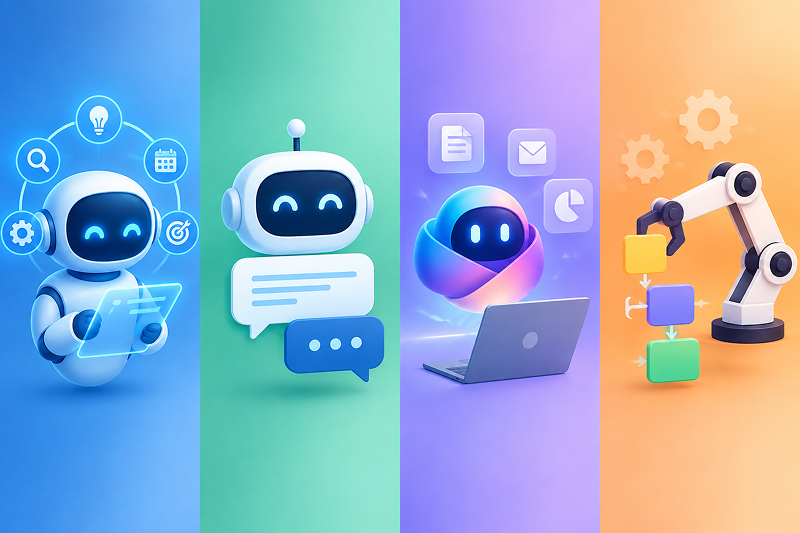
An AI agent stands out through its ability to manage a multi-step task and use tools, but not every system with AI is an agent. The difference is not whether the interface has a chat, but who determines the next step and whether the system can take action.
| Solution | Main function | Chooses next steps? | Works with systems? | Example |
|---|---|---|---|---|
| Language model | Generates or analyzes content | Within a single request | Only if the application provides it with tools | Summarizes a contract |
| Chatbot | Converses with the user | Usually follows a script or answers | Can perform limited lookups | Answers about a delivery |
| Copilot | Assists an employee | Suggests, but the human drives the process | Often reads context from the work environment | Drafts a reply to a customer |
| Standard automation | Executes fixed rules | No, the path is programmed | Yes | Marks an invoice as paid upon payment |
| AI agent | Manages a task based on goal and context | Yes, within permitted limits | Yes, through tools and integrations | Checks the customer, analyzes the request, and creates a task |
ChatGPT can be an interface to agentic capabilities, but an ordinary conversation without tools and workflow management is not in itself a business agent. Likewise, an automation can use AI for classification and still remain a predefined workflow.
How autonomous should an AI agent be?
The appropriate level of autonomy depends on the cost of an error, the reversibility of the action, and the maturity of the process. More autonomy does not automatically mean a better solution.
A practical planning scale is:
| Level | Agent’s role | Example |
|---|---|---|
| 1. Lookup | Only finds and summarizes information | Gathers the customer’s history |
| 2. Recommendation | Analyzes and proposes an action | Suggests priority and a responsible salesperson |
| 3. Preparation | Creates a draft or an operation for approval | Prepares a quote or a CRM update |
| 4. Limited action | Executes low-risk actions by rules | Creates a task and sends an internal reminder |
| 5. Controlled autonomy | Completes a process within defined limits | Handles a standard request and escalates exceptions |
This is a practical, not a normative, classification. For a first version, it is usually sensible to start with lookups, recommendations, and prepared actions. Automatic writing and sending are added after tests with real cases.
What can AI agents be used for in small and medium-sized businesses?
AI agents are most useful for recurring multi-step processes that involve free text, documents, multiple systems, and human exceptions. The size of the company matters less than the frequency of the process, the accessibility of the data, and the measurable effect.
| Area | What the agent can do | Appropriate human involvement | Example metric |
|---|---|---|---|
| Sales | qualifies inquiries, checks the CRM, prepares follow-ups | approval of quotes and special terms | time to first response |
| Customer service | identifies the issue, checks the order, proposes a solution | disputes, compensation, or non-standard cases | resolution time |
| Finance | extracts data from documents, matches payments and invoices | confirmation in case of discrepancy or uncertainty | share of automatically matched transactions |
| Documents | classifies, extracts deadlines, and creates structured records | legal review and final approval | document processing time |
| Procurement | compares offers, checks availability and lead times | supplier selection and negotiation | time to prepare a comparison |
| Operations | tracks unfinished tasks and coordinates systems | exception management | overdue tasks and manual steps |
| HR | supports onboarding and answers according to internal policies | decisions about people and sensitive cases | administrative processing time |
| Management | collects data and prepares periodic reports | interpretation and business decisions | time to prepare a report |
These examples do not mean that one agent should receive all functions at once. The more reliable approach is to choose one complete process and provide only the necessary tools.
How does an AI agent connect to CRM, ERP, and other systems?
An AI agent works with business systems through a controlled integration layer, not through “magic” access to all company data. The most suitable method depends on the available APIs, the architecture, the permissions, and the risk of the specific actions.
The main approaches are:
API integration
If the CRM, ERP, SAP, Salesforce, or custom system has a reliable API, the agent can use scoped functions on top of it. This is usually the most controllable approach for a production environment.
MCP server
MCP (Model Context Protocol) is an open standard for connecting AI applications to external data, tools, and workflows. MCP can standardize how the agent discovers and uses permitted capabilities, but it does not replace the API, authorization, or business rules.
Integration or application service layer
For a custom ERP or a complex platform, it is often right to build a separate layer that exposes precisely defined business operations. For example, create_client_from_approved_contract is a more reliable operation than a direct write to several tables.
Controlled access through a user interface
For a legacy system without an API, the agent can work through a browser or another application in the same way a person would. This approach is more sensitive to interface changes and is usually used after the more reliable integration options have been evaluated.
Regardless of the method, it must be clear which system is the official source for each field. If the CRM shows that a customer is active while the ERP shows a credit hold, the agent must not pick the more convenient value on its own. The case must follow a predefined rule or be sent for a human decision.
Does the company need to train its own AI model?
In many business projects, training a custom language model is not necessary. The first working version often uses an existing model, company instructions, controlled retrieval of up-to-date data, and tools for the specific actions.
There are usually four distinct needs that should not be confused:
- instructions — how the agent should work;
- information retrieval — how it finds current company information;
- memory — what context it keeps between steps or sessions;
- fine-tuning — changing the model’s behavior through a specialized set of examples.
Fine-tuning can be useful with sufficiently high-quality examples and a clearly measurable task, but it does not fix missing business logic, bad data, or an unreliable integration.
When does an AI agent make sense?
An AI agent makes sense when the process requires contextual judgment, handles unstructured information, and cannot be reliably automated with fixed rules alone. The additional flexibility must deliver measurable value, because agentic systems add cost, processing time, and new risks.
Good candidates are processes where:
- employees read many emails, documents, or free-text inputs;
- there is a recurring sequence of lookups across several systems;
- the rules contain many exceptions;
- clarifying questions need to be asked;
- the result can be verified;
- errors can be contained through permissions and approvals;
- there is enough volume to justify the implementation;
- there is a specific owner of the process.
Anthropic recommends using the simplest possible solution and adding agentic complexity only when it brings demonstrable benefit. This is especially important for small businesses, where a well-built standard integration can be more reliable and economical.
When is an AI agent not the right solution?
An AI agent is not the right solution when the task is fully predictable, leaves no room for judgment, or the cost of even a single error is unacceptable without independent verification. In such cases, a standard software process, rules, or automation are often more appropriate.
Do not start with an agent if:
- the problem and the desired outcome cannot be described;
- the process happens rarely and the savings are minimal;
- company data is inaccessible, incomplete, or contradictory;
- there is no person who owns and manages the process;
- there is no way to verify quality;
- the agent would need overly broad access;
- the expectation is that AI will fix a poorly organized process without changing it;
- fixed automation can do the same job more reliably.
An honest analysis sometimes ends with a recommendation not to use AI. That is also a successful outcome if it saves an unnecessary investment and architectural risk.
Are AI agents secure?
An AI agent can be deployed in a controlled way, but security depends on the whole system — data, identity, permissions, tools, integrations, logs, and human oversight. The model itself should not be the only safeguard between the user and a critical business operation.
The minimum set of controls includes:
- a separate identity and permissions for the agent;
- the principle of least privilege;
- a distinction between reading, proposing, and acting;
- parameter validation before execution;
- confirmation for financial, legal, and irreversible actions;
- protection against malicious instructions in emails and documents;
- limits on the number of steps and on spend;
- logging of invoked tools and their results;
- monitoring, alerting, and the ability to stop;
- tests with real edge cases and error cases.
When personal data is processed, the purpose, legal basis, minimum required data, retention period, and persons with access must be defined. The European Commission summarizes purpose limitation, data minimization, storage limitation, accuracy, integrity, confidentiality, and accountability among the core principles of the GDPR.
The NIST Generative AI Profile of the AI Risk Management Framework can be used as a voluntary framework for incorporating trustworthiness and risk management into the design, development, use, and evaluation of AI systems.
Compliance with the GDPR or other requirements depends on the specific scenario, the roles of the organizations, the categories of data, and the way it is processed. Technical architecture does not replace a legal assessment.
Can an AI agent operate fully on its own?
An AI agent can perform limited tasks independently, but full autonomy should not be the initial goal. It is safer for the system to automate low-risk steps and require a human for exceptions, low confidence, or high-impact actions.
Suitable for automatic execution can be:
- internal search and summarization;
- creating a draft;
- classification and routing;
- creating a standard internal task;
- notifications about overdue items;
- updating a low-risk field under clear conditions.
Suitable for human approval are:
- payments and refunds;
- changes to prices or contractual terms;
- deletion of data;
- legal and HR decisions;
- actions with a high financial or reputational impact;
- cases for which there is insufficient data.
The goal is not for a person to confirm every button press. The goal is for human attention to remain precisely on the decisions where the cost of an error is high.
One agent or several specialized agents?
For a first project, one agent with well-defined tools is usually easier to develop, test, and monitor. Several agents make sense when the domains, rules, or tools are sufficiently different and a single agent starts making mistakes in choosing between them.
An example of a multi-agent architecture is a central orchestrator that delegates individual tasks to:
- an agent for CRM and sales;
- an agent for ERP and orders;
- an agent for documents;
- an agent for rule checking;
- an agent for evaluating the final result.
More agents do not automatically mean higher accuracy. They add communication, processing time, cost, and more points of failure. That is why OpenAI and Anthropic recommend increasing complexity gradually, once a simpler model is no longer sufficient.
How is an AI agent implemented in a company?
Implementation starts with one business process and a measurable result, not with the choice of a model or platform. The technology is chosen once the task, data, systems, permissions, and risk are clear.
A practical process includes:
1. Describing the current work
The steps, participants, systems, volume, time, and frequent exceptions are documented. It is important to observe the real process, not just the official procedure.
2. Choosing a narrow first scenario
The pilot must have clear inputs, a complete result, and enough cases for testing. “AI for the whole department” is not a good first scope.
3. Defining the data and the sources of truth
For each type of information, it is specified which system is official, who has the right of access, and how contradictions are resolved.
4. Designing the tools and permissions
It is determined what the agent can read, what it can prepare, and what it can execute. High-risk actions are placed behind approval.
5. Prototype and test set
A limited version is built and checked with real, edge, and deliberately misleading cases. The whole process is evaluated, not just the quality of the text.
6. Limited rollout in a production environment
The system starts with a small group of users, narrow permissions, and visible monitoring. Exceptions are collected and analyzed.
7. Expansion after a proven result
New actions, systems, or autonomy are added only when the first scenario reaches the agreed quality and there is a clear business effect.
How do you measure whether an AI agent works well?
The quality of an AI agent must be measured by the completed business process, not just by whether the answers sound convincing. An agent can write excellent emails and at the same time create tasks for the wrong salesperson.
Suitable metrics are:
- percentage of correctly completed tasks;
- accuracy in tool selection;
- percentage of cases handed over to a human;
- percentage of approved and rejected proposals;
- incorrect or duplicate actions;
- average execution time;
- human time saved;
- cost per successfully processed case;
- technical failures and retries;
- employee or customer satisfaction;
- change in a specific business KPI.
A baseline from the current process is needed before launch. Without it, the claim that “the agent saves time” cannot be proven.
How much does it cost and how long does it take to build an AI agent?
Cost and timeline depend more on the process, the integrations, and the required controls than on the AI model call itself. A small assistant that searches company documents is a different project from an agent that modifies data in the CRM, ERP, and banking system.
The main factors are:
- how well the business process is described;
- the number of systems and the quality of their APIs;
- the preparation and quality of the data;
- the number of roles and access levels;
- the need for a user interface;
- the actions the agent may perform;
- the approval and audit mechanisms;
- the required evaluations, tests, and level of accuracy;
- infrastructure and data-processing requirements;
- monitoring and maintenance after launch;
- the cost of the models used at real volume.
When the process is unclear, it is more honest to first do a short analysis and a working prototype, rather than promise a fixed production project based only on the general sentence “we want an AI agent.”
How to choose the first process for an AI agent?
The best first process is important enough to bring measurable benefit, but limited enough to be tested and controlled. Start with a process that already has an owner, data, and recurring volume.
Use the following checklist:
- The process runs frequently.
- It takes measurable human time.
- It involves emails, documents, or other unstructured input.
- It has recurring steps and a clear end goal.
- The required data is accessible.
- An official source can be defined for the important fields.
- The result can be verified.
- Errors can be contained or reversed.
- There is an employee who will manage the exceptions.
- There is a metric before and after implementation.
If most answers are “no,” the first step is probably to organize the process and the data, not to build an agent.
How does Sirius Software approach AI agents?
At Sirius Software, we see the AI agent as part of the company’s real software architecture, not as an isolated chat window. This includes business analysis, integrations, roles, data protection, controlled actions, testing, monitoring, and development after launch.
We can help with:
- process analysis and selection of a suitable first scenario;
- technical architecture and model selection without lock-in to a single vendor;
- integration with CRM, ERP, CMS, email, documents, APIs, and custom systems;
- development of specialized tools and MCP servers;
- rules for permissions, approvals, auditing, and human intervention;
- a working prototype and tests with real scenarios;
- production deployment, monitoring, and maintenance;
- orchestration between several AI modules or agents when the complexity requires it.
Sirius Software offers AI integration and development and builds custom software systems, ERP and CRM solutions, e-commerce, and complex web platforms. This allows the AI agent to be integrated into the existing process, instead of creating yet another separate tool into which employees must manually transfer information.
If you are considering an AI agent, send us one specific process through the Sirius Software contact form. Useful starting information is:
- how the process is performed now;
- which people and systems are involved;
- how often it runs;
- where the most time is lost;
- which actions are risky;
- how you would measure success.
On this basis, we can assess which steps are suitable for standard automation, where AI adds real value, and what limited pilot makes sense.
Frequently asked questions about AI agents
Is ChatGPT an AI agent?
ChatGPT can provide agentic capabilities when it manages a multi-step task and uses tools for data or actions. An ordinary conversation in which the model only generates an answer is not enough on its own to qualify as a business AI agent.
Does an AI agent learn automatically from every task?
Not necessarily. The agent can retain permitted memory or use the results for later evaluation, but this does not mean the underlying model is automatically retrained. Memory, logs, feedback, and training are different mechanisms and must be managed separately.
Will an AI agent replace employees?
An AI agent more often automates individual steps and reduces administrative work than takes over an entire job. The real effect depends on the process. People remain necessary for accountability, exceptions, negotiations, empathy, and high-impact decisions.
Should an AI agent have access to all company data?
No. The agent should have only the minimum access needed for the specific task. Permissions for reading, preparing, and modifying should be separated, and sensitive actions should be restricted or placed behind approval.
Can an AI agent work with SAP, Salesforce, or a custom ERP?
Yes, if there is a reliable and permitted way to integrate — an API, a dedicated service layer, an MCP server, or another controlled interface. The real scope depends on the specific version, license, access rights, available documentation, and business rules.
Is MCP mandatory for an AI agent?
No. MCP is a standard way for AI applications to connect to external data and tools, but an agent can also use direct API integrations or custom functions. MCP is most valuable when reusable tools and compatibility with different AI clients are needed.
Can an AI agent work in Bulgarian?
Yes. Modern language models can process Bulgarian, but the quality must be tested with the company’s real terminology, documents, and cases. For specialized legal, medical, or technical language, stricter control is needed.
Is a large budget needed to get started?
The first project does not have to be a large platform. You can start with a limited read-only assistant or a pilot for a single process. It is important, however, that the pilot includes enough real cases, an integration check, and measurement — not just an impressive demo.
Conclusion
An AI agent is most useful when it connects the language model’s ability to understand context with controlled tools for real business actions. The value does not come from the “agent” label, but from a well-chosen process, quality data, clear permissions, human oversight, and a measurable result.
For most companies, the right start is not a fully autonomous system. The right start is one narrow process, limited access, clear tests, and gradual expansion only after proven reliability.
About the author
Georgi Papucharov is the founder of Sirius Software — a Bulgarian software company that has been developing custom systems, AI integrations, CRM and ERP solutions, e-commerce, and complex web platforms since 2011. Sirius Software is certified under ISO/IEC 27001:2022.
Other articles
Read more articles from Sirius Software

How to write a technical specification for a websi...
- Created at: 2026-09-17
AI agent, chatbot, Copilot or automation: what is ...
- Created at: 2026-09-25